
Lighting & ScenesArticle
A working lighting plan for a 3-bedroom house, every scene we actually program
By DIGIMAX Team · 2 May 2026
By DIGIMAX Team · 2 May 2026
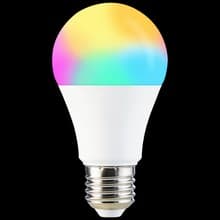
Most smart lighting articles are about the gear. This one is about the scenes. After 200+ residential installs we know which scenes families keep using and which ones get pressed twice and forgotten. Below is the lighting plan we install in a typical 3-bedroom house, scene by scene, with the products that make each one work.
For a 3-bedroom house, set up 6 scenes that get daily use, and 2 that get weekly use. Skip the rest.
Every scene below is mapped to one button on a scene switch by the wall, plus one tile in the app. If a scene is not on a physical button somewhere in the house, it stops getting used within a month.
A scene is a saved combination of light states (on or off, dim level, colour temperature) plus optionally fan, AC and curtain states. To make scenes work reliably, you need three things:
The most-pressed button in any smart home we install. One press from the master bedroom turns off every light in the house except a soft 10 percent warm glow in the hallway, the fan is left running, the AC is left where it is, the front door is double-checked locked, and the gate cameras switch to high-sensitivity mode.
This single scene removes the "did I turn off the kitchen light" thought from the head of whoever is going to bed. We have heard "this alone was worth the money" more times than any other comment.
Triggered manually on the bedside scene switch, or automatically at sunrise minus 15 minutes on weekdays. Hallway light to 60 percent cool white. Kitchen lights on. Bathroom exhaust fan armed to motion. Curtains open in the living room if motorised. AC switches off if it was on overnight.
Two notes from experience. First, schedule it manual on weekends, automatic on weekdays. If the scene fires when the family is sleeping in, it kills the magic. Second, set the curtain to open over 20 seconds, not instantly. A slow open is calming, an instant one is jarring.
Fires automatically when the front door unlocks via the smart lock between 5pm and 11pm, or manually on the porch scene switch. Porch light on, living room to 70 percent warm white, hallway on, kitchen to 40 percent.
The trick is the time window. If Welcome Home fires when the maid arrives at 8am, the family gets annoyed. Restrict it to evening. Pair it to the family's phone presence too if your gateway supports that, so it only fires for residents.
One button, every light in the house off, every fan off, AC stays where it is. Used when leaving the house and as a panic-reset when someone has left lights on across multiple rooms. Different from Bedtime because it also kills the hallway and bathroom night lights.
Fires automatically at sunset minus 30 minutes. Living room and dining to 80 percent warm white (2700K). Porch and outdoor wall lights on. Kitchen at 60 percent. Master bedroom and other bedrooms untouched, because someone in the family may be working.
This is the scene that does the most to make a house feel warm in the evenings. Concrete houses in Sri Lanka can feel harsh under 4000K lighting; a warm 2700K evening wash changes the whole mood.
Triggered on the living room scene switch or in the app. Main living room lights off, lamp behind the TV to 30 percent warm, hallway at 10 percent (so kids walking to the kitchen do not trip), curtains close if motorised. Fan stays on.
This is the scene where RGB strip lighting behind the TV actually earns its keep. A 5-metre RGB strip set to a warm orange behind the TV looks like a high-end home cinema. Not a gimmick, but only worth it if your TV is the centrepiece of the room.
Dining room lights to 70 percent warm, kitchen to 50 percent so the cook can still see the stove, living room to 40 percent. Used when the family has guests for dinner or on weekend nights. Usually programmed but rarely fired by the family directly. If you do not entertain often, skip this one.
Fires automatically when the smart circuit breaker detects mains loss and the house switches to inverter or generator. Drops every light to 30 percent to extend battery, turns off non-essential sockets (TV, AC), keeps fans on. When mains returns, scene reverses.
If you have an inverter battery backup, this scene quietly stretches your battery time by 40 to 60 percent in our measurements. If you do not have battery backup, skip the scene.
This is the wall layout we install most often:
For a 3-bedroom house with the layout above, we plan 2 to 3 hours of programming on the install day, plus another hour of tweaks after the family has lived with it for a week. Anyone telling you it is a 20-minute job is rushing it.
Yes, on any decent system. The app lets you edit the lights, dim levels and trigger conditions of every scene. We always show the family how to do this during handover. Most owners tweak scenes monthly for the first three months, then settle.
If the house is on battery backup or inverter, yes. If not, no, because the lights themselves have no power. The Power-Cut Mode scene only makes sense if you have backup. The Bedtime scene picks up automatically when mains returns.
A scene is a saved state you trigger. An automation is a rule that triggers a scene. "Movie" is a scene. "At 7pm on Friday, fire Movie" is an automation. Most of the value comes from scenes pressed by humans; automations are the cherry on top.
No. Tunable white is enough for 90 percent of the value. Add RGB only if you specifically want coloured accent lighting in one area like a TV wall or a feature shelf.
If you want a scene plan for your specific house, send a floor plan and a quick voice note about how the family uses each room. We will come back with a working scene list before any product is bought. Talk to a specialist, or see the wall switches we install.
Tell us what you're planning. We'll help you spec the right products and get them installed.